

Stöd och service

Reception and IT Support
The E-building houses the Campus Skellefteå Help Desk, which offers reception services and IT support for students and staff on campus. Here, you can get help with access card management and user accounts, among other things.
The help desk also manages the operation of video conferencing equipment on campus.
Helpdesk – A Lifesaver
The Helpdesk is an essential service providing support and IT assistance. Here, distance students gain access to user accounts after completing registration, allowing them to utilize the available resources. The IT support is particularly appreciated.
– We want everyone to feel welcome, including those studying remotely, those studying here, or those who come here over the summer.
Contact and Hours
Regular business hours
Monday–Friday 7 a.m.–3 p.m.
The day before a public holiday until 11:00 AM
The Helpdesk is closed for the summer: weeks 26–32 During this period, you can obtain an access card at the Campus Library. This access card is valid only for the library premises. Campus Library opening hours External link.
Digital connectivity is excellent. We know how important it is to provide reliable networks, and on campus we strive to make things as easy as possible. Skeguest is available here.
If you are a student or employee in the area, you can contact Lars-Erik Forsberg at the Helpdesk in the E-building.
The Skeguest Network
For visitors to the area, we offer a free network, Skeguest. To log in to Skeguest, you need a username and password. You can request these specifically via the portal that appears after connecting to the network. The login credentials are valid for 90 days, and the user can connect two devices per ticket. If the user needs additional devices, they must order a new ticket. The user can order multiple tickets for the same mobile number.
Here you can see where you have the best coverage:
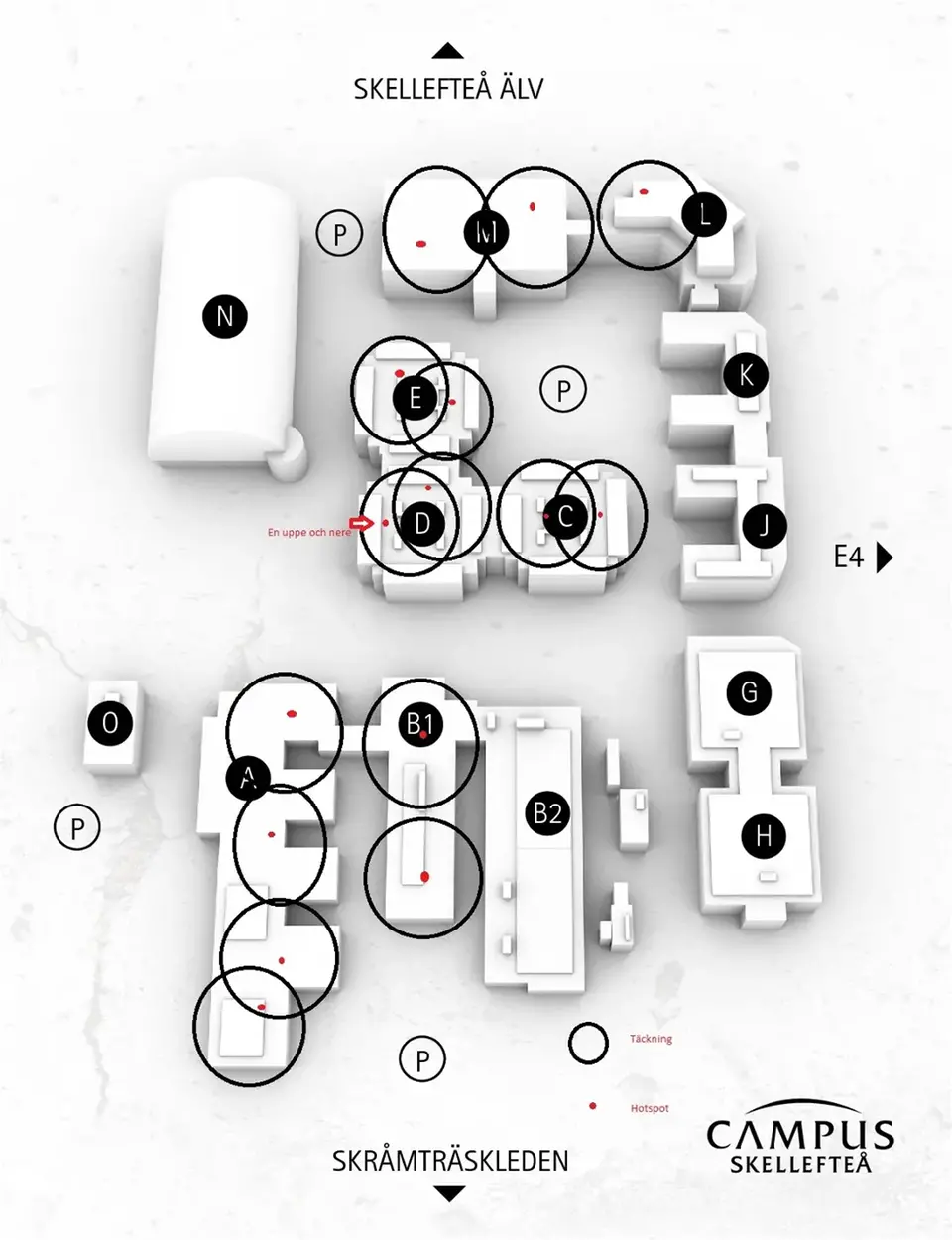
Eduroam is available here at Campus Skellefteå. To use Eduroam, you must be enrolled at a university or college. Each university or college provides its own information about Eduroam, as the procedure varies slightly depending on where you are a student. Read more on your university or college’s website.
Support and services
Access card
Sidinformation
- Senast uppdaterad:
- 8 June 2026